
Complete Guide to Buying Gaming Accessories and Peripherals at Singapore Mall Tech Stores
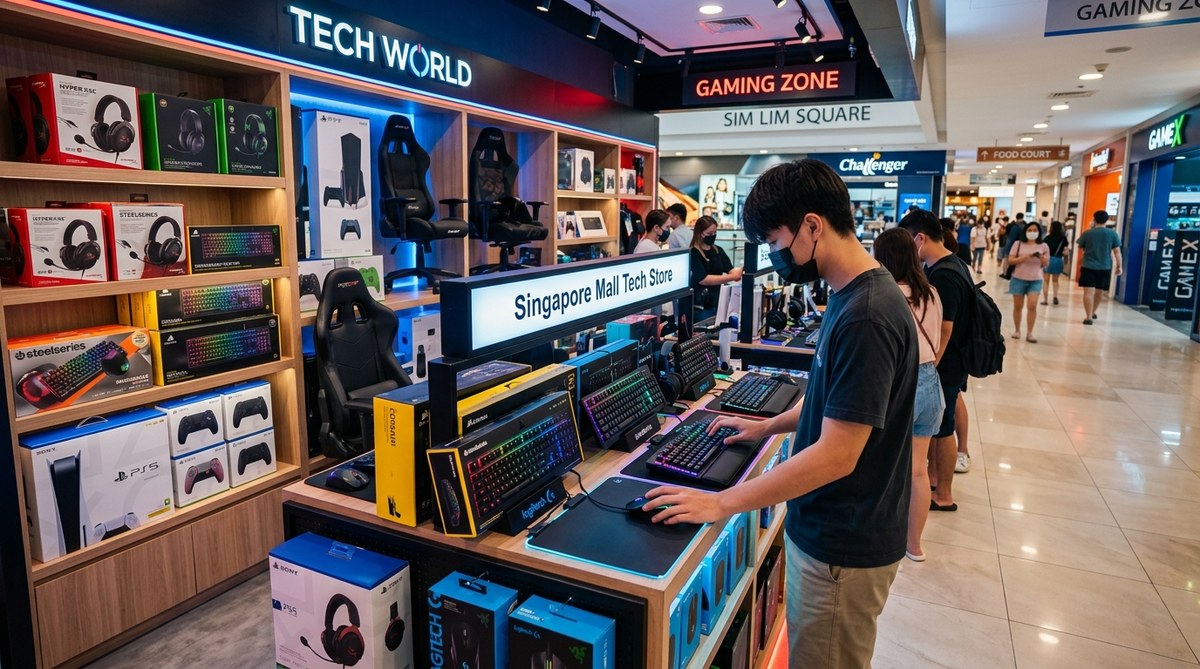
Shopping for gaming accessories in Singapore can be an exciting experience. With the vibrant mall scene and a variety of tech stores, gamers and tech enthusiasts have plenty of options. Whether you need a new gaming mouse, keyboard, headset, or specialized peripherals, Singapore’s malls are packed with shops that cater to your needs. This guide will walk you through how to buy gaming accessories in Singapore malls confidently and efficiently.
Buying gaming accessories at Singapore malls offers a wide selection, expert advice, and the chance to test products in person. Follow a simple process, know what to look for, and avoid common mistakes to make your shopping trip successful and enjoyable.
Where to Find Gaming Accessories in Singapore Malls
Singapore boasts several malls that are well-known for their tech stores and gaming peripherals. From high-end brands to budget-friendly options, these malls ensure you can buy gaming accessories Singapore mall style. Here are some popular spots:
- Funan IT Mall: Known for a vast selection of tech gadgets and gaming gear, with dedicated stores like RazerStore and Challenger.
- Sim Lim Square: A haven for tech enthusiasts with numerous outlets selling gaming peripherals, custom PC parts, and accessories.
- Orchard Road: Home to large electronics retailers like Best Denki and Courts, offering a variety of gaming accessories.
- VivoCity and HarbourFront: Features shops like Challenger and Harvey Norman with a good range of gaming gear.
- Bugis Junction and Bugis Street: Smaller stores but with budget options for gaming accessories.
How To Buy Gaming Accessories In Singapore Malls
-
Research Your Needs and Budget
Before heading out, define what gaming accessories you need. Are you looking for a mechanical keyboard, a gaming mouse, a headset, or a controller? Set your budget range. Knowing this helps narrow down stores and options. -
Visit the Right Malls and Stores
Use malls like Funan and Sim Lim Square for an extensive selection. Check store directories online to locate specific brands like Razer, Logitech, or Corsair. -
Test and Compare Products
When in store, physically test peripherals. Check the comfort of a gaming mouse, the sound quality of headsets, and the feel of keyboards. Compare brands and models to find the best fit for your gaming style.
Tips for a Successful Shopping Trip
- Bring your list and set priorities: Know what features are essential, like RGB lighting, programmable keys, or wireless connectivity.
- Check for warranties and after-sales service: Reputable stores typically offer warranties and support.
- Look out for promotions and discounts: Many malls have seasonal sales or mall-wide promotions. Use credit card discounts or mall membership perks where available.
- Ask for expert advice: Store staff can recommend products based on your gaming preferences and setup.
“Always test peripherals in-store whenever possible. Comfort and feel matter just as much as specifications when it comes to gaming gear.” — Tech Expert Singapore
Common Mistakes to Avoid When Buying Gaming Accessories
| Mistake | Why It Matters | How to Avoid It |
|---|---|---|
| Buying without testing | You might get a product that feels uncomfortable or doesn’t meet your expectations | Test in-store to ensure comfort and functionality |
| Ignoring compatibility | Accessories may not work with your existing setup | Check compatibility specs with your PC or console |
| Overlooking warranty | Cheap accessories might lack support or warranty | Purchase from reputable stores with good after-sales service |
| Focusing only on looks | A flashy design doesn’t guarantee great performance | Prioritize features and reviews over aesthetics |
| Not comparing prices | You could pay more at one store without realizing | Shop around and compare prices across stores |
How To Spot Quality Gaming Accessories
- Brand reputation: Stick to well-known brands like Razer, Logitech, Asus ROG, or Corsair.
- Build quality: Check materials and sturdiness. Good accessories last longer.
- Features: Look for customizable options, adjustable DPI, or sound controls.
- Customer reviews: Read online reviews to see how products perform in real use.
- Price consistency: Be wary of significantly cheaper options that seem too good to be true.
Where To Test Gaming Accessories In Stores
Testing is essential. Some tips include:
- Try holding the mouse to see if it fits comfortably.
- Use the keyboard to check key responsiveness.
- Wear the headset to gauge sound clarity and comfort.
- Play a demo game or use in-store setups if available.
- Ask staff if there are demo units you can try.
Techniques And Common Mistakes In Buying Gaming Accessories
| Techniques | Mistakes |
|---|---|
| Test peripherals personally | Relying solely on specifications |
| Compare multiple brands | Making impulse purchases |
| Check for compatibility | Ignoring warranty and after-sales support |
| Look for bundle deals | Overpaying during off-season sales |
When To Buy Gaming Accessories In Singapore
Timing can influence prices. Keep an eye out for:
- Festive sales (Chinese New Year, National Day)
- Mall-wide promotions during major events
- Seasonal discounts in Q2 and Q4
- New product launches: Older models often go on clearance
Final Tips For Your Gaming Gear Hunt
- Plan your visit: Map out stores you want to visit.
- Bring your gaming gear: To test compatibility and feel.
- Stay patient: Comparing options ensures better choices.
- Don’t rush: Quality gaming accessories are worth taking your time for.
Elevate Your Gaming Experience With the Right Accessories
Buying gaming peripherals in Singapore malls can be straightforward if you follow a clear process. From researching and testing to avoiding common pitfalls, your ideal gaming setup is within reach. Remember to prioritize comfort, compatibility, and quality. With the right knowledge and approach, you’ll walk away with gear that enhances your gaming for years to come.
Happy shopping and happy gaming!